Make a scan
searchable.
A searchable PDF adds recognized text to scanned pages. Keep the original and check the words that matter.
Check the source first
Try selecting a sentence and searching for a distinctive word in your PDF viewer. A scan may already contain a text layer. If selection and search work, you may not need another OCR pass.
Keep an untouched original. For an image-only source, check page order, rotation and legibility before recognition. If a scan is too blurred to read, OCR cannot reliably recover the missing detail. Work on a copy when correcting pages.
A free desktop option
NAPS2 supports searchable-PDF OCR. Open its OCR settings, download the needed language data, select the correct language and enable searchable PDFs. Import the source and save to a new PDF. Its documentation explains that imported pages with existing text are left alone, while pages without text receive OCR. Follow the official NAPS2 OCR instructions. Language setup can require a download; preparing a desktop OCR workflow is not the same as promising that every setup step is offline.
Work in WhimRoom
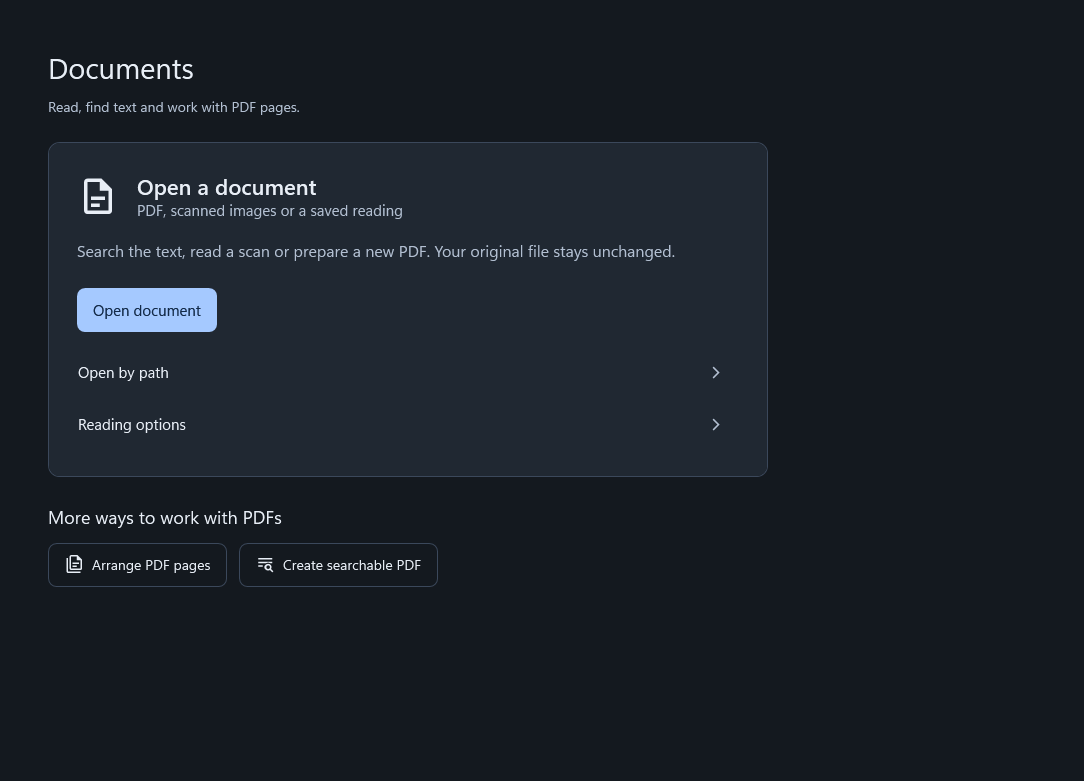
Open Documents, choose a supported source and select the reading or searchable-PDF task. Review the pages and recognized output, then choose where to save. OCR and local document categorization use bundled local workers. An AI connection is optional.
The public WhimRoom Store release is in preparation. If you need a tool today, evaluate an available desktop option such as NAPS2 rather than relying on a release date that has not been announced.
Check the saved PDF
- Open the newly saved file. Check its page count, orientation and ordering.
- Search for known words. Test a heading and a word from a later page, not just the first line.
- Copy a short passage. Paste into a text editor and inspect reading order, accents and punctuation.
- Verify important numbers manually. Check names, dates, totals and identifiers against the page image. OCR can confuse similar letters and digits.
A successful search for one word does not establish accurate recognition across every page. Keep difficult pages marked for review and preserve the source while checking.
Choose where it is saved
The output can expose text that was previously harder to search or copy. Use a destination appropriate for the document’s sensitivity. A cloud-synced folder may upload it, and an ordinary WhimRoom export is not automatically encrypted.
Connecting an MCP client can return requested document text to that client. Read the assistant data boundary before enabling that access for private documents. A local OCR engine and a connected assistant are separate privacy decisions.
Sources and scope
Reviewed 1 November 2026. External instructions are linked to their publishers. Windows labels can vary by version. WhimRoom instructions describe 0.266; its public Store release is still in preparation.